Project background
Azure Cloud Collaboration Center
CCC is a centralized hub for real-time monitoring and response to global cyber threats — especially DDoS attacks and infrastructure vulnerabilities. It aggregates attack data, tracks mitigation, and provides actionable intelligence on regional sources, destinations, and vectors for rapid defense.

Azure CCC lacks an efficient way to communicate the DDoS attack landscape, slowing internal cybersecurity team response times.
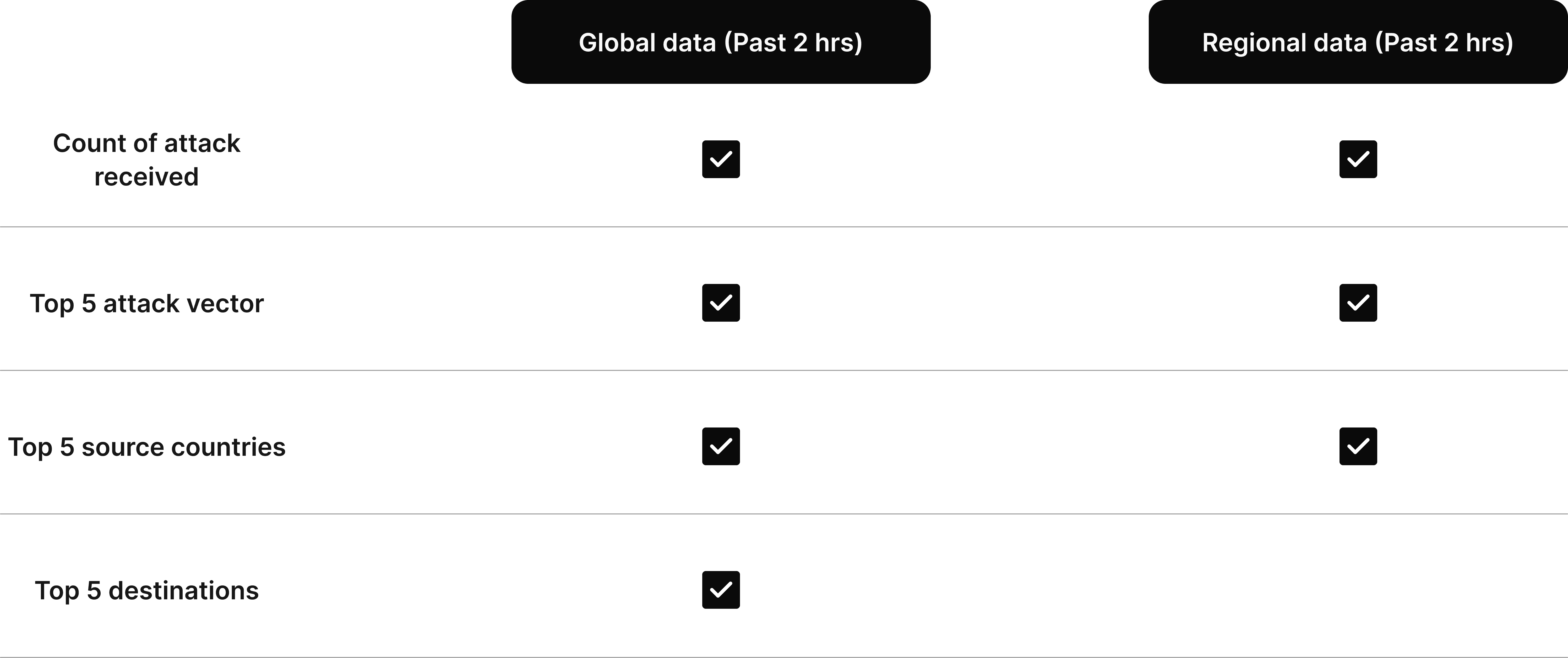
To respond effectively to critical events with tangible solutions, users need to see data that reflects the past 2 hours from both global and regional levels.
Project Goal
Goal & success metrics
Create a glanceable dashboard visualizing 2-hour DDoS landscape (attacks, flows, mitigation, vectors), refreshed every 5 minutes via APIs.
🎯 Goal:
Visualize the cybersecurity landscape from the past 2 hours, refreshed every 5 minutes through APIs.
🚧 Challenge
30 regional data on 2x2.5 monitor size.
Ensuring readability from a few feet away.
Research & process
Dive deep into data insight to understand the pattern
Since our users need to see both regional and global level data, what does that data look like? How should I show those data?
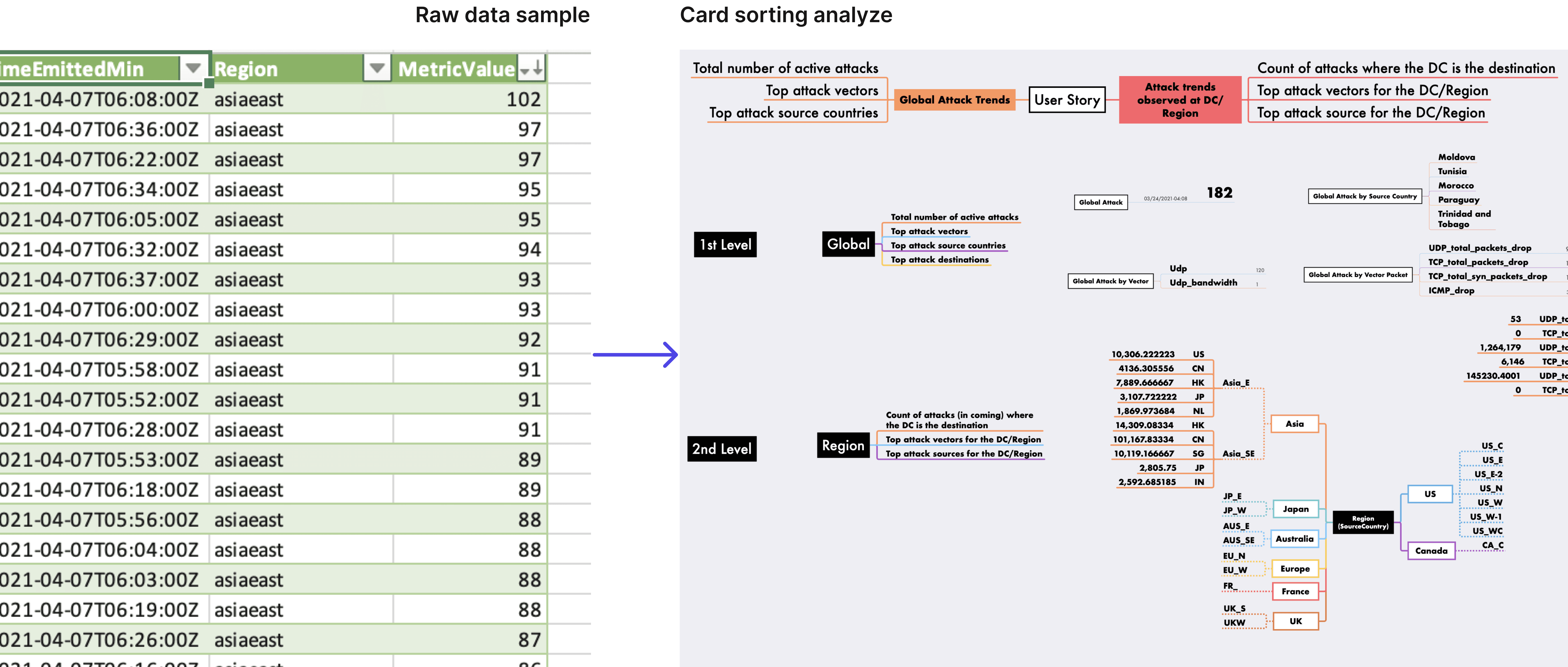
My first step was to request 24-hours data samples from our cybersecurity team. This has become a key step for me to understand the data's structure and identify patterns that could be helpful for the design.
What I learned
Data patterns are a great way to help users quickly understand the problem.
There are multiple types of cyberattacks, such as Vector Udp, Vector Udp_bandwidth, etc.
Each type of attack has different values, ranging from 17 to 9.3 million.
The regional data follows a similar pattern and is categorized into sub-continents, such as Asia_E, Asia_SE, JP_E, and so on.
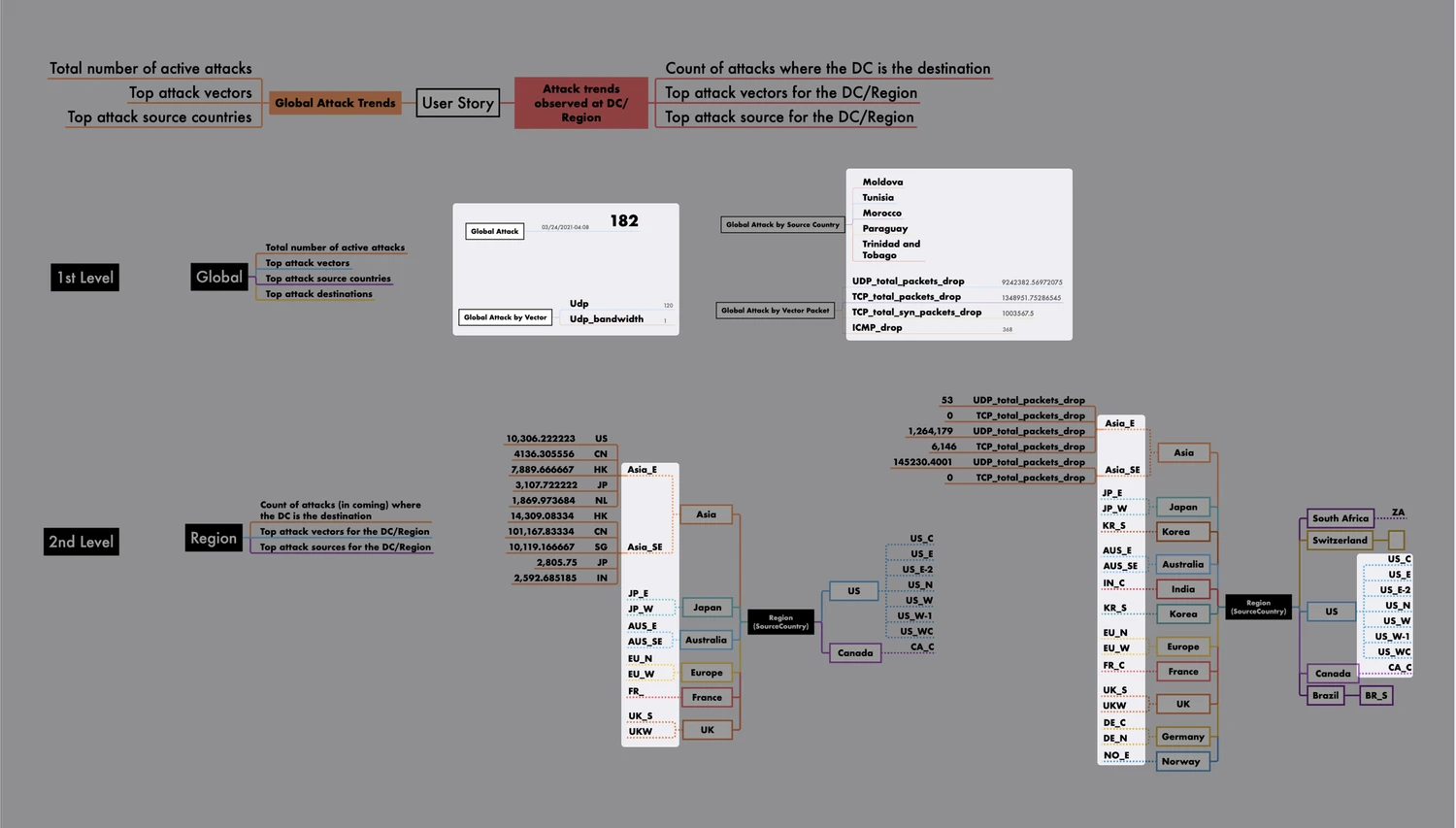
Problem: Existing process can takes hours
My second biggest discovery was the team's inefficient work process, which slows the cybersecurity team's response time to critical events.
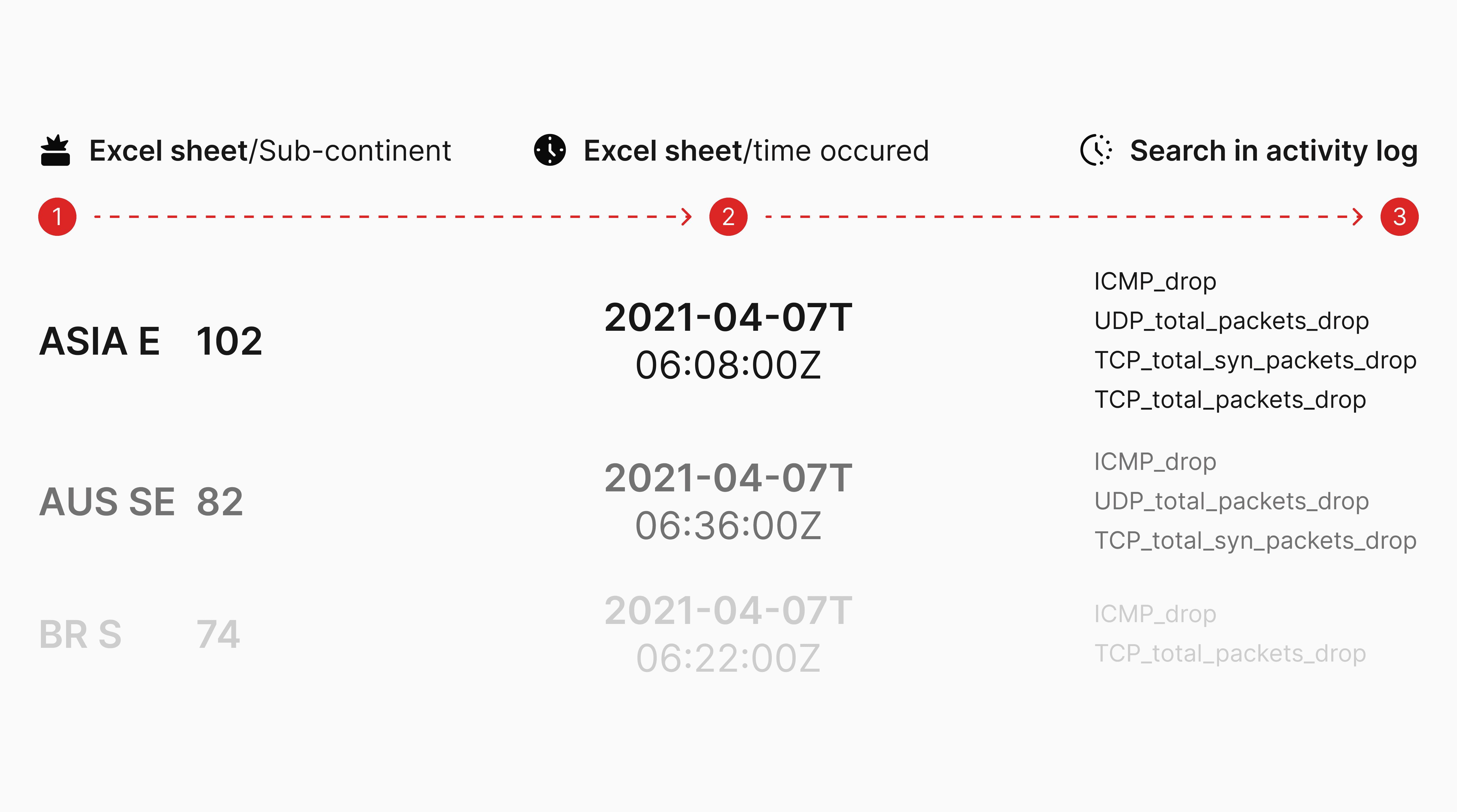
Inspiration & design direction
How might we...
Showcase the sub-continental data to reflect the regional and global situation and trends.
Continental data provides sufficient detail while maintaining clear visual hierarchy.
Display trends for each continent or country to help users quickly gain an overview of the past 2 hours.
Solution v1.x-A
Divide into two sections: global data and regional data.
All include the total vector count, type, and source countries.
But I also discovered a big problem: once I began working on the regional data, two big challenges appeared:
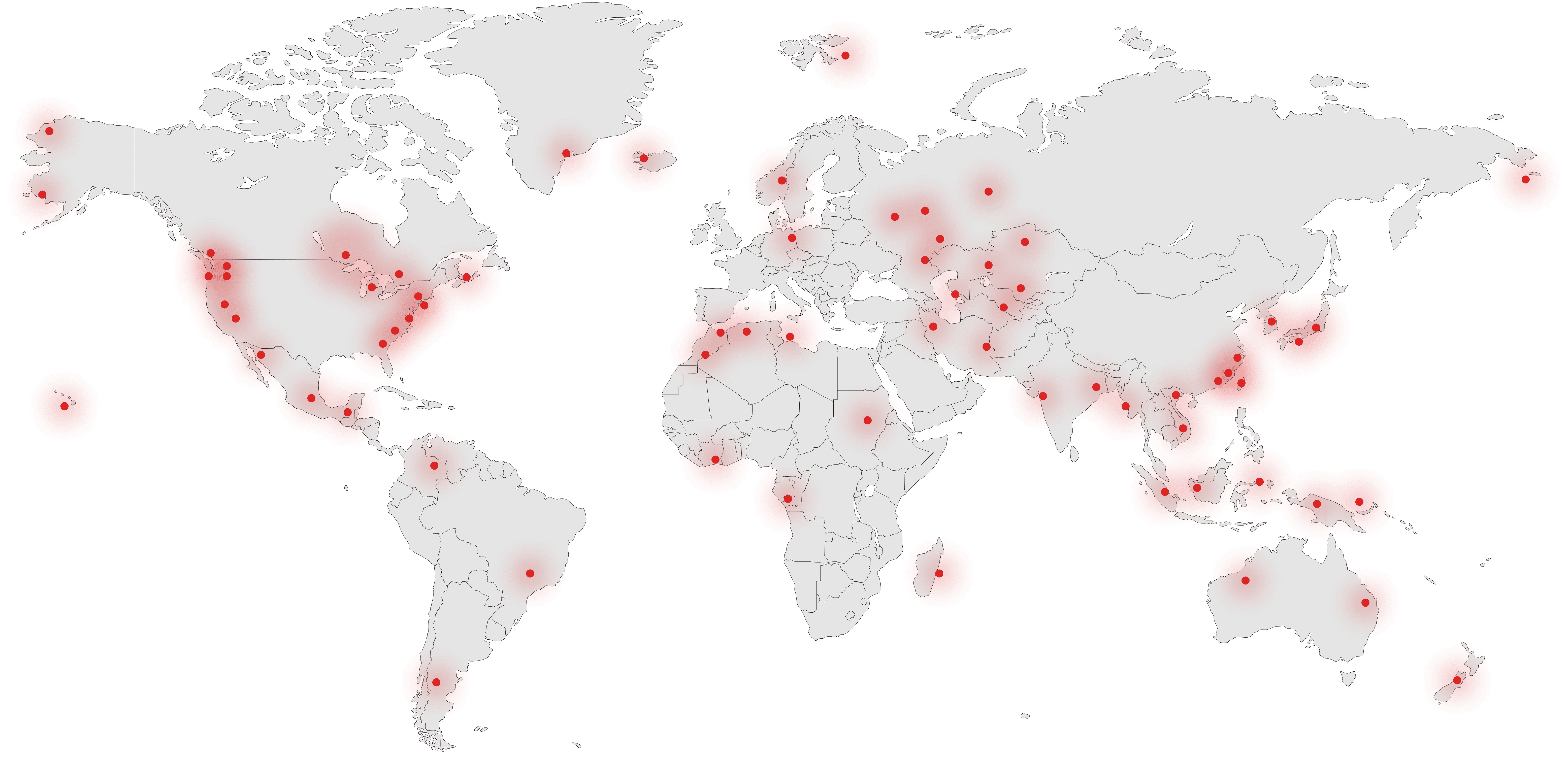
There wasn’t enough space to display all 60 regions.
And even if we did, the layout couldn’t list them in logical order — from the regions with the most attacks to the least — due to space constraints.
This caused serious readability issues.
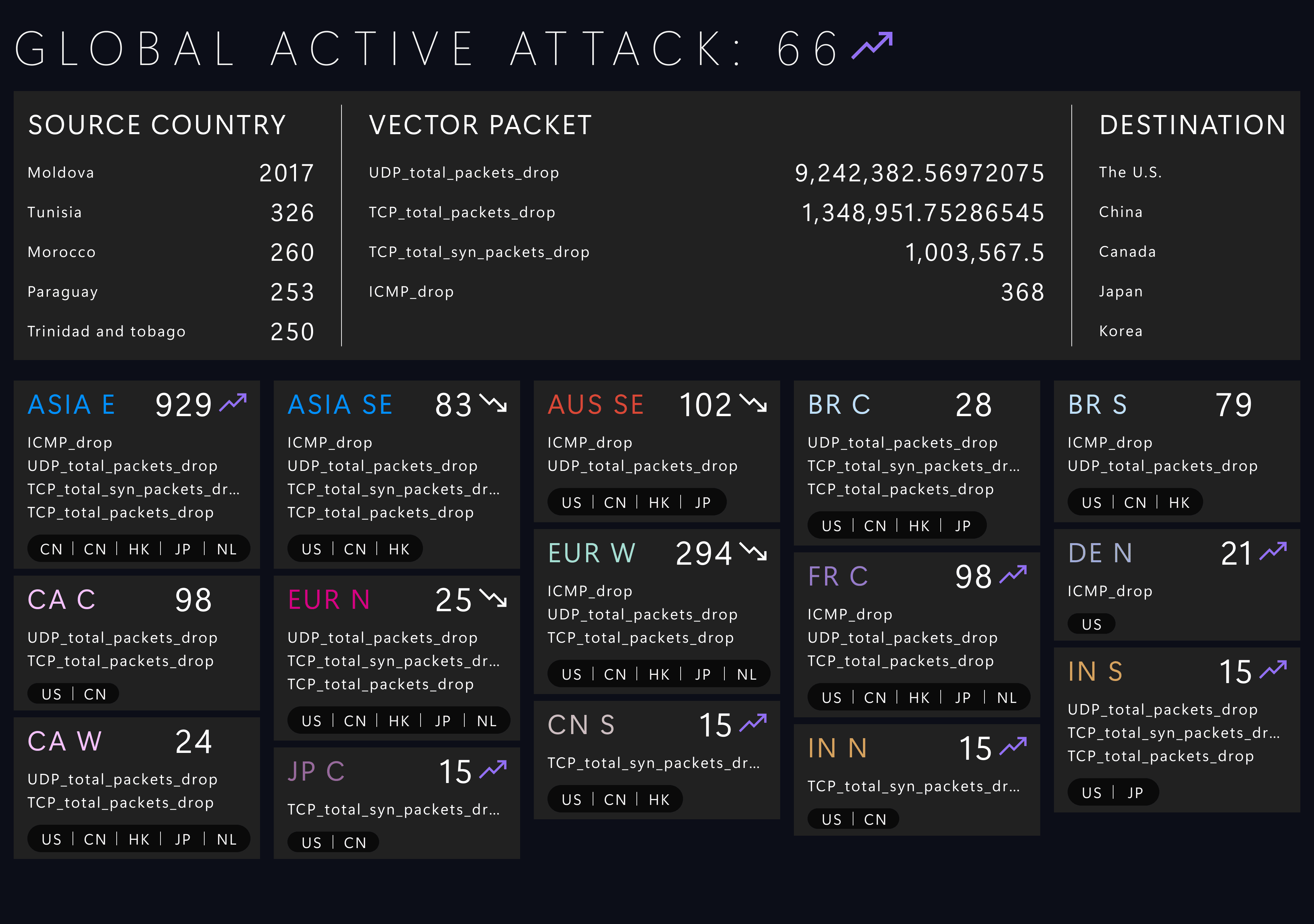
V1.x-A
Card style
Solution v1.x-B
It solved the coverage problem.
To fit that many regions on screen, the text had to be really small, which hurt readability and could discourage adoption.
The spacing issue still exists, but it's a good way to communicate with the user about the challenge.
There wasn’t enough space to display all 60 regions.
And even if we did, the layout couldn’t list them in logical order — from the regions with the most attacks to the least — due to space constraints.
This caused serious readability issues.
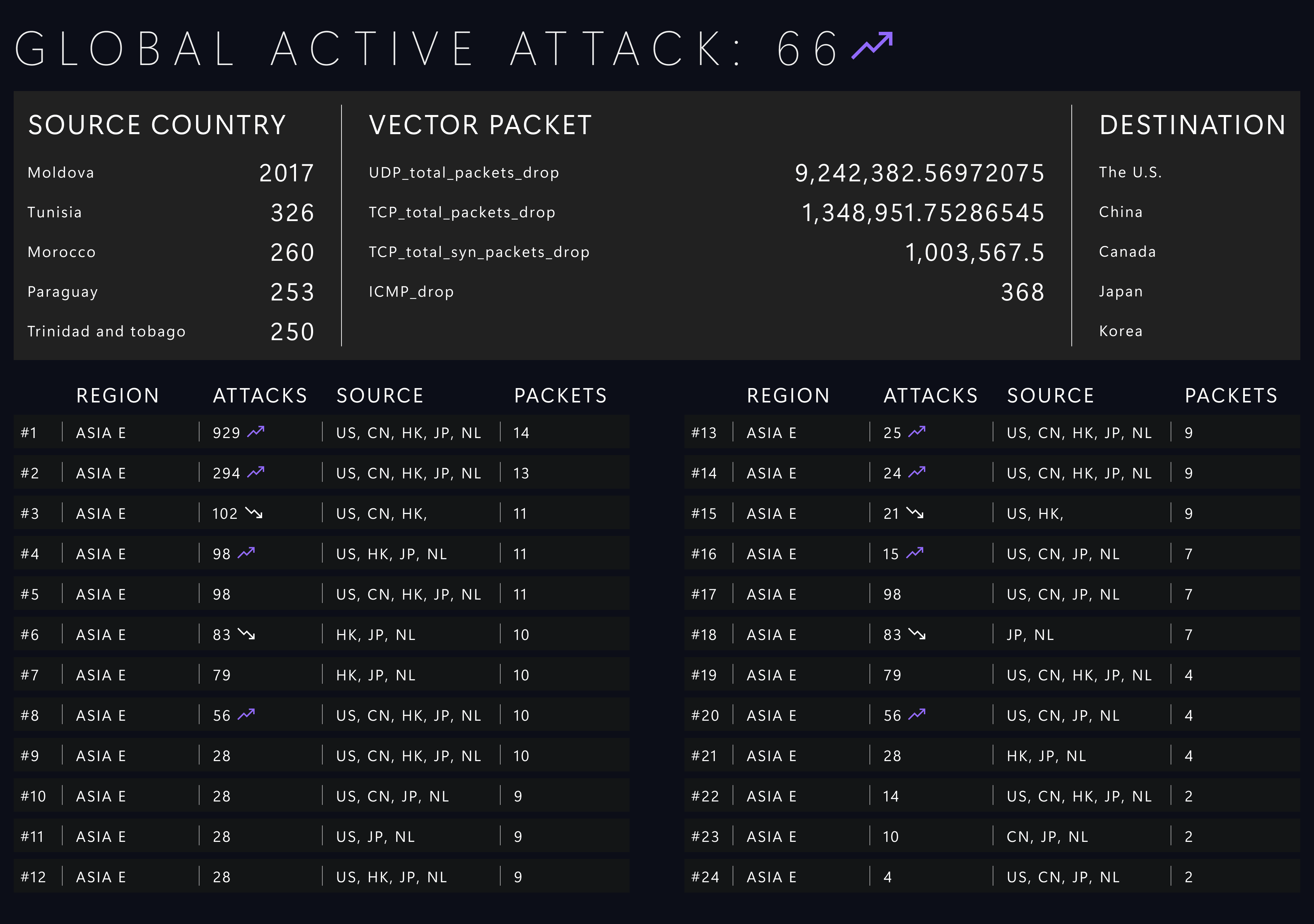
V1.x-B
Data visualization
User feedback
Trade-offs and new invention
After a design review, the cybersecurity team agreed that showing three to five regions at a time was a good balance.
But also express that This works, but can it be more intuitive, more efficient, maybe even more interesting?
What if…
We make it feel more like a command map in a video game, something like a Warzone or a battle control view?

Design process
v2.x- A vs. B
v2.x-A
The data card style has become the foundation of future development since the users prefer Plan A over Plan B.
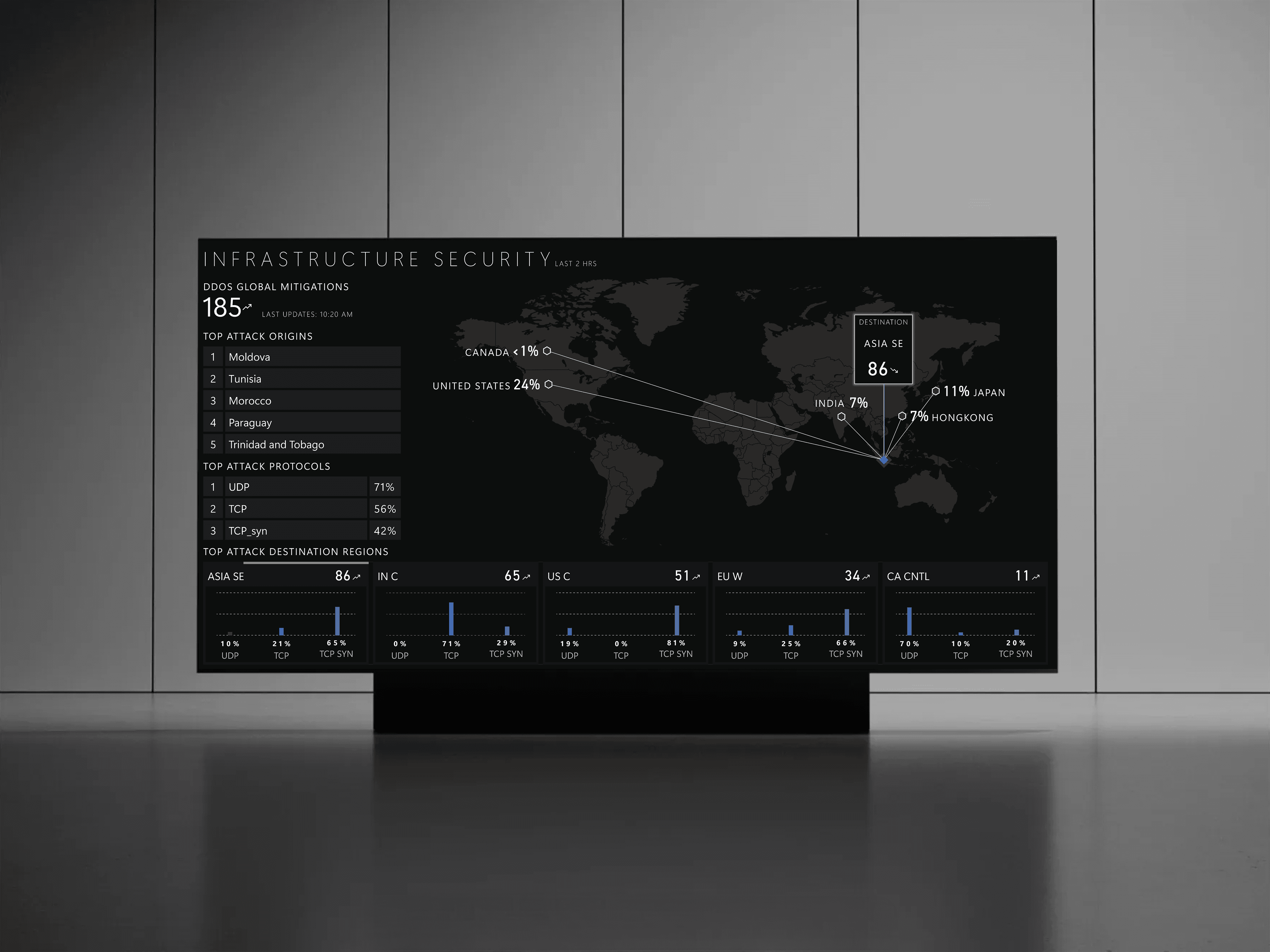
In V2.x, I made a few upgrades on the regional data card and experimented with the dynamic heat map.
Collapsed & expanded data card: each regional data card will have two statuses: expanded view and collapsed view. Each card will rotate and display the full data view for 15 seconds.
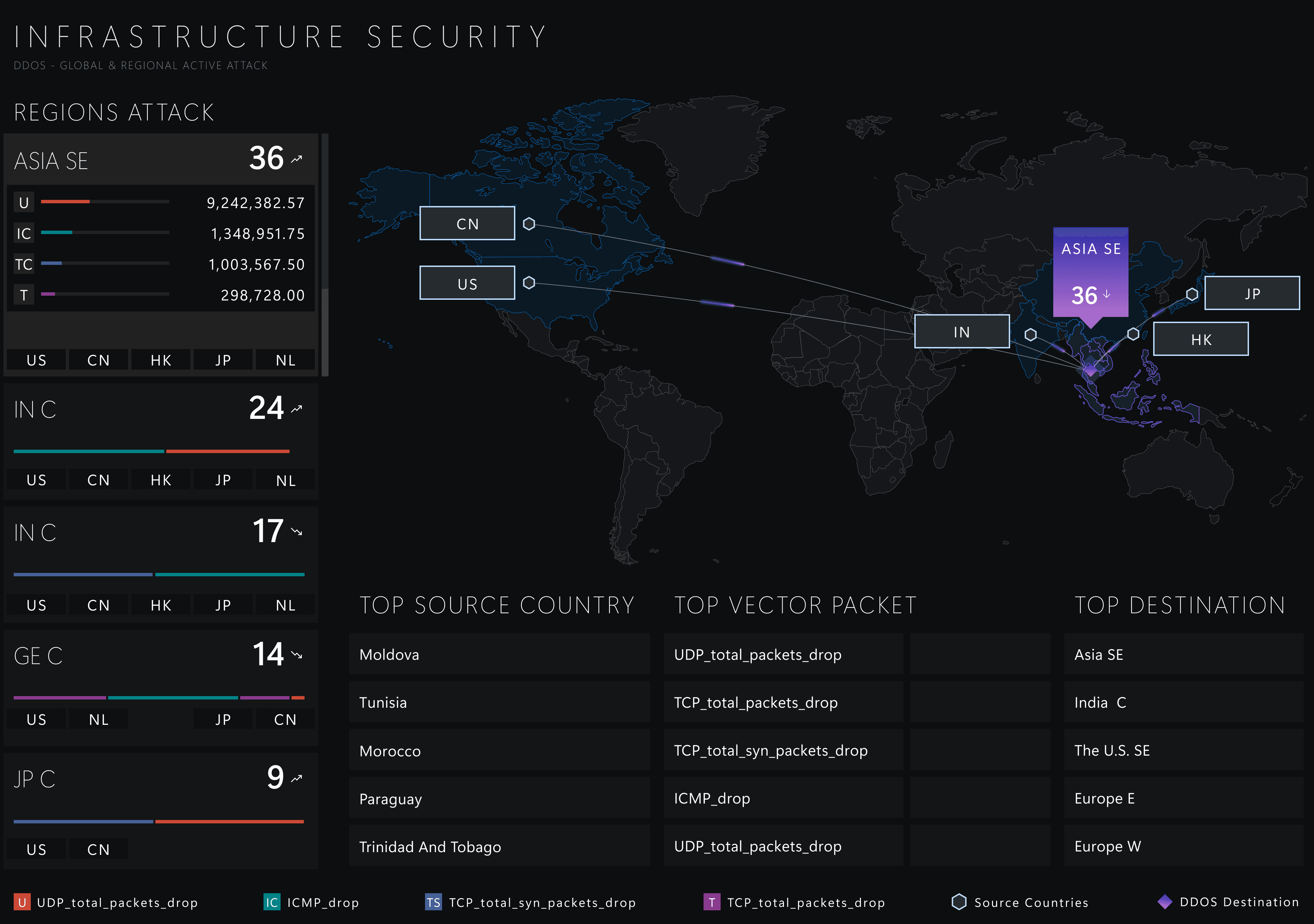
v2.x-A
Data visualization
v2.x-B
The collapsed and expanded data card approach still has its downsides: it hides information and makes it hard for users to scan quickly across different regions. To further describe the issue and gather feedback, I proposed a second version with less regional data.
Data card: I removed the vector value since it has been shown to be unnecessary for the user. Additionally, we need to cut the regional data card down to the top 3 since I couldn't use the expanded and collapsed mode to save space.
In V2.x, I made a few upgrades on the regional data card and experimented with the dynamic heat map.
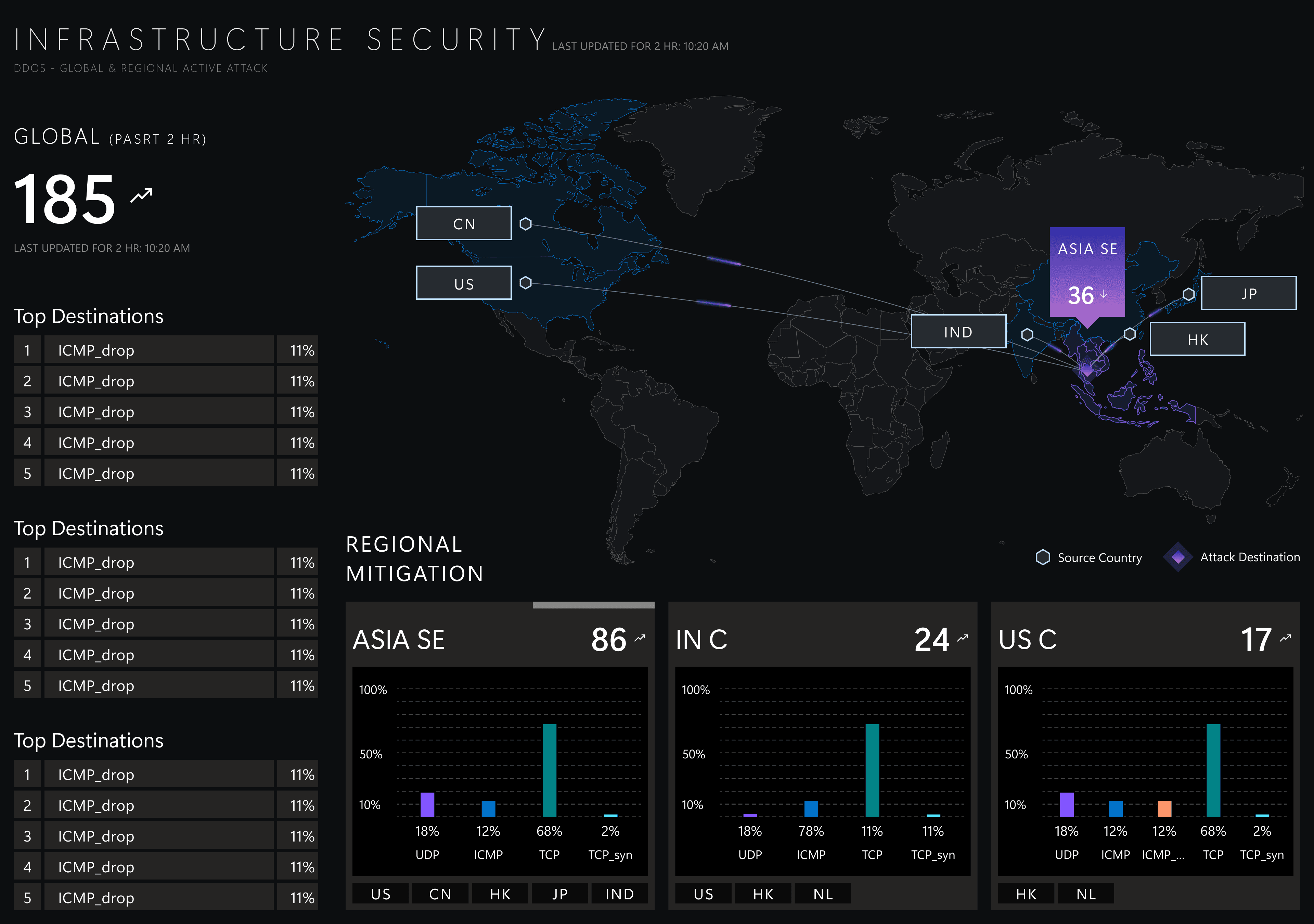
v2.x-B
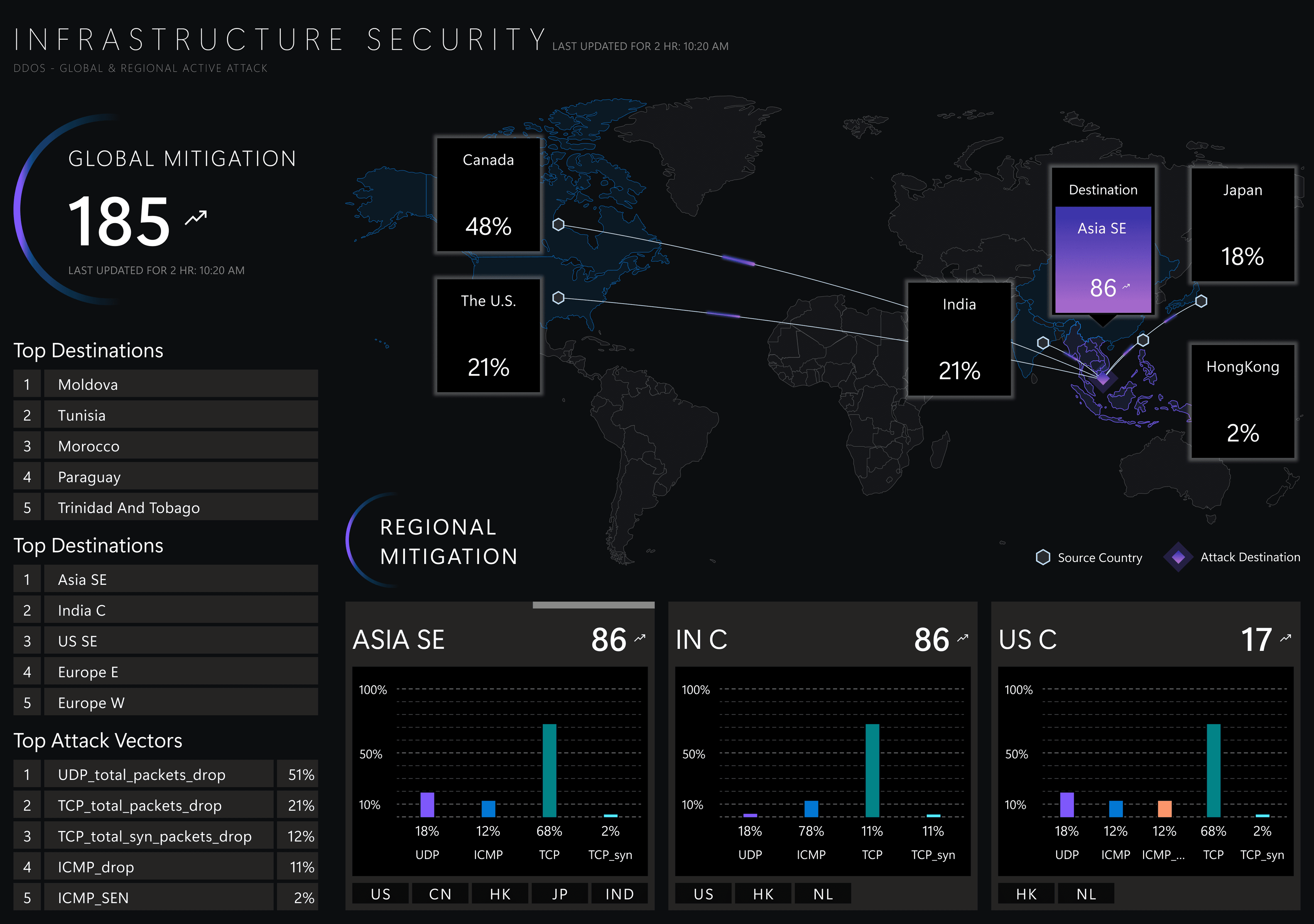
Final Design
v2.1 & golden ratio
v2.x-B clearly described the issue and successfully convinced the user to accept less regional data while still maintaining a good understanding of the situation for the team.
In the final design, I took it further by applying the golden ratio to balance the visual layouts and increase the visual hierarchy for the global total attack count.
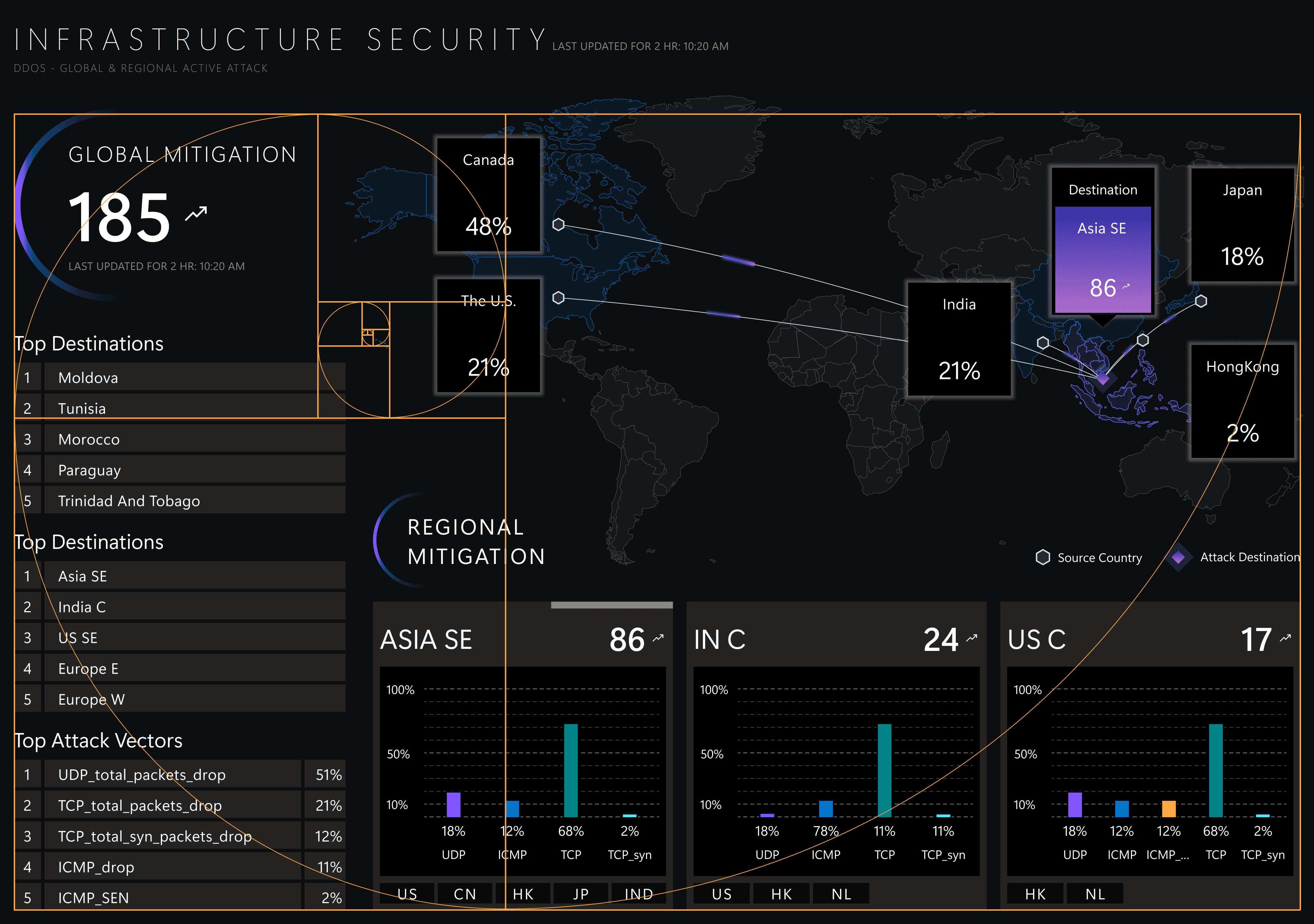
Final design
Impact & outcome
In the final testing with the user, 15-sec task completion time, boosting efficiency by 95%.
Achieved an 80% adoption rate, exceeding the 50% target.